The swarm, the terminal and your account, running as a real desktop app.
Your OpenRouter key stays on your machine and Robi only ever reads the one
folder you point it at.
Windows Your systemPortable, no install.exe78.5 MB
Download
macOS Your systemComing soonSoon
Linux Your systemComing soonSoon
RobiOS v1.0.0 · Windows 10 and up, 64-bit · built from the same agents this site runs
This is the whole app
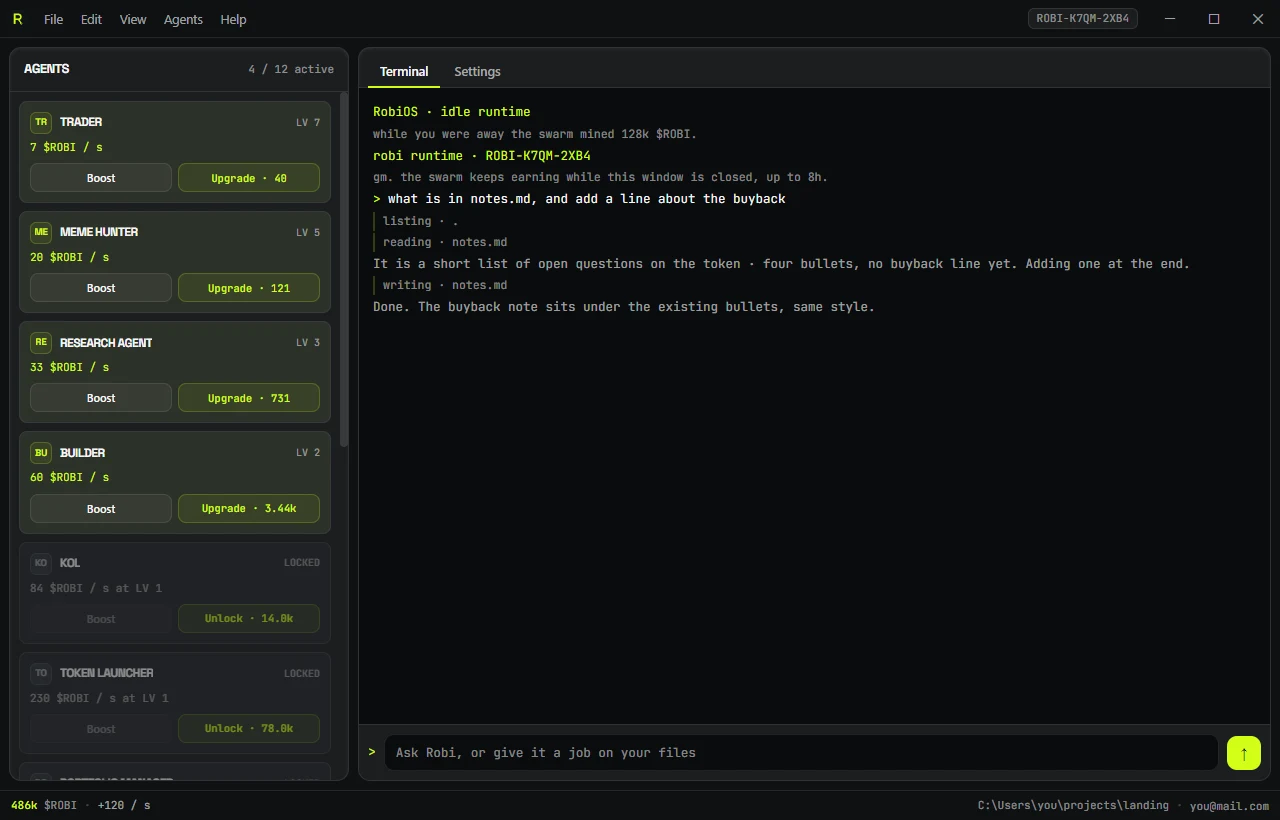
No dashboard tour, no onboarding wizard. One window: the swarm on the
left earning while you do nothing, a terminal on the right that answers and edits your
files. Every shot below is the real thing, not a mockup.
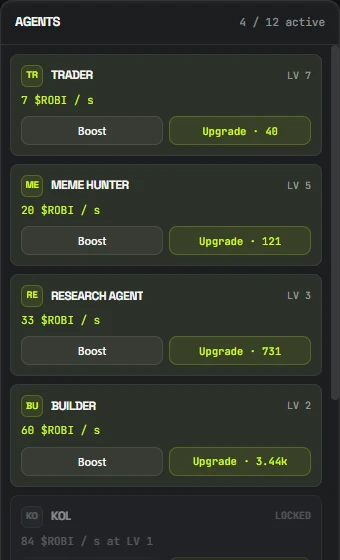
Four agents online, eight still locked. On the right Robi read notes.md, said what was in it, and wrote the line back.
Four things worth knowing
01
The swarm earns on its own
Twelve agents, the same twelve as the catalog on this site. Each one pays $ROBI per
second and gets faster every level. Boost is a manual nudge, Unlock
brings the next agent online.
Close the window and they keep going: on the next launch you are paid for the time
you were away, up to eight hours.
02
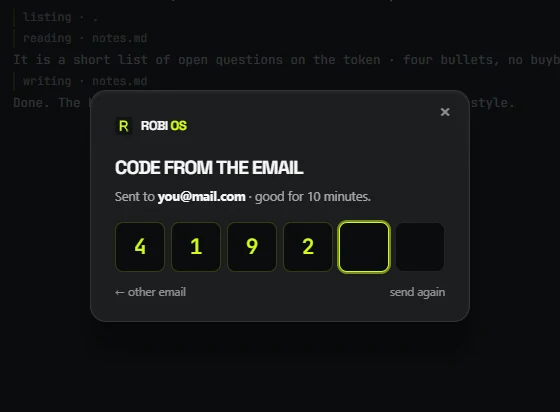
Sign in with the email you use here
Same account as robi.pw, same six digit code, same
ROBI-XXXX-XXXX terminal handle. One identity in two
windows · the app is not a separate world.
The terminal stays asleep until you do. The idle swarm does not care and runs anyway.
03
Your key, your model
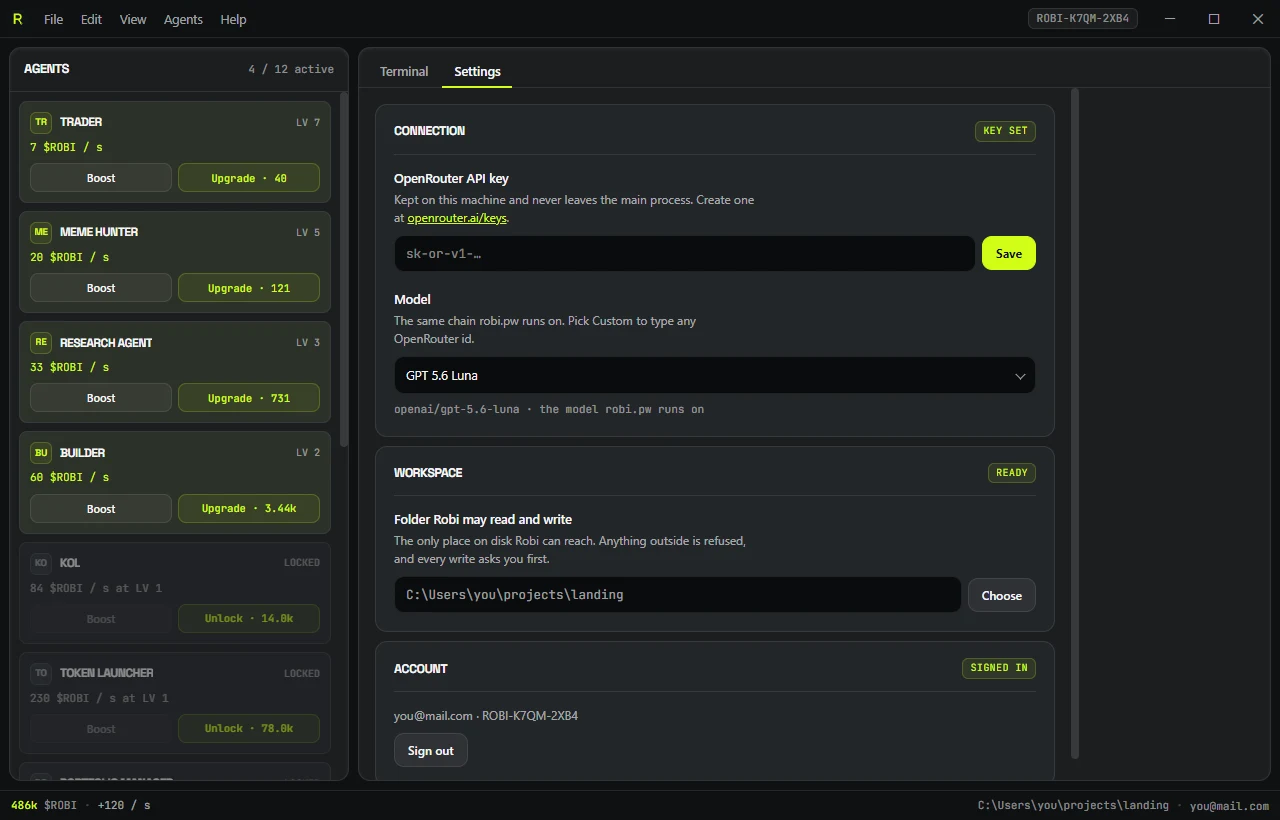
Robi answers through your OpenRouter key, on the model you pick · GPT 5.6 Luna
by default, the same one this site runs, or anything else on OpenRouter.
The key is stored on your machine and never leaves the app's main process. It is not
in the page, so nothing on screen can read it, and it never reaches this site.
04
It edits real files, on your terms
Pick one folder. Robi can list, read and write inside it and nowhere else ·
that is enforced in code, not asked for in a prompt: every path is resolved and
refused if it escapes the folder.
Reads are silent, writes are not. Each write pops a dialog naming the file before a
byte lands on disk, and the terminal prints every file it touches as it goes.
> what is in notes.md, and add a line about the buybacklisting · .reading · notes.mdIt is a short list of open questions on the token · four bullets,
no buyback line yet. Adding one at the end.writing · notes.mdDone. The buyback note sits under the existing bullets, same style.
Before you install
Windows says "unknown publisher"
It will, and that is expected: the build is not code-signed yet. Click
More info and then Run anyway. A signing certificate is on the list;
until it exists, SmartScreen warns about every unsigned app, ours included.
If that bothers you, verify the checksum below before running it.
Installer or portable?
The installer puts RobiOS in your programs, adds a desktop shortcut and can be
removed from Windows settings. The portable build is a single file that installs
nothing, so it runs from a flash drive. Same app in both.
Verify what you downloaded
Run certutil -hashfile <file> SHA256 in a terminal
and compare it with the checksum for your build:
An OpenRouter key for the terminal, and a folder if you want Robi working on files.
The idle swarm runs without either. Nothing here charges real funds, and $ROBI has
not launched.
 ROBI
ROBI